 Studio Acoustic Planner
 An NBS Studio app · Supported on iPhones
Scan your room.
Get the plan.
Scan your room with LiDAR and get a step-by-step acoustic treatment plan: where to sit, where the monitors go, which panels to build, and where. Verify it with REW.
The app is free. Any iPhone - no LiDAR? Type the room size or draw the floor plan.
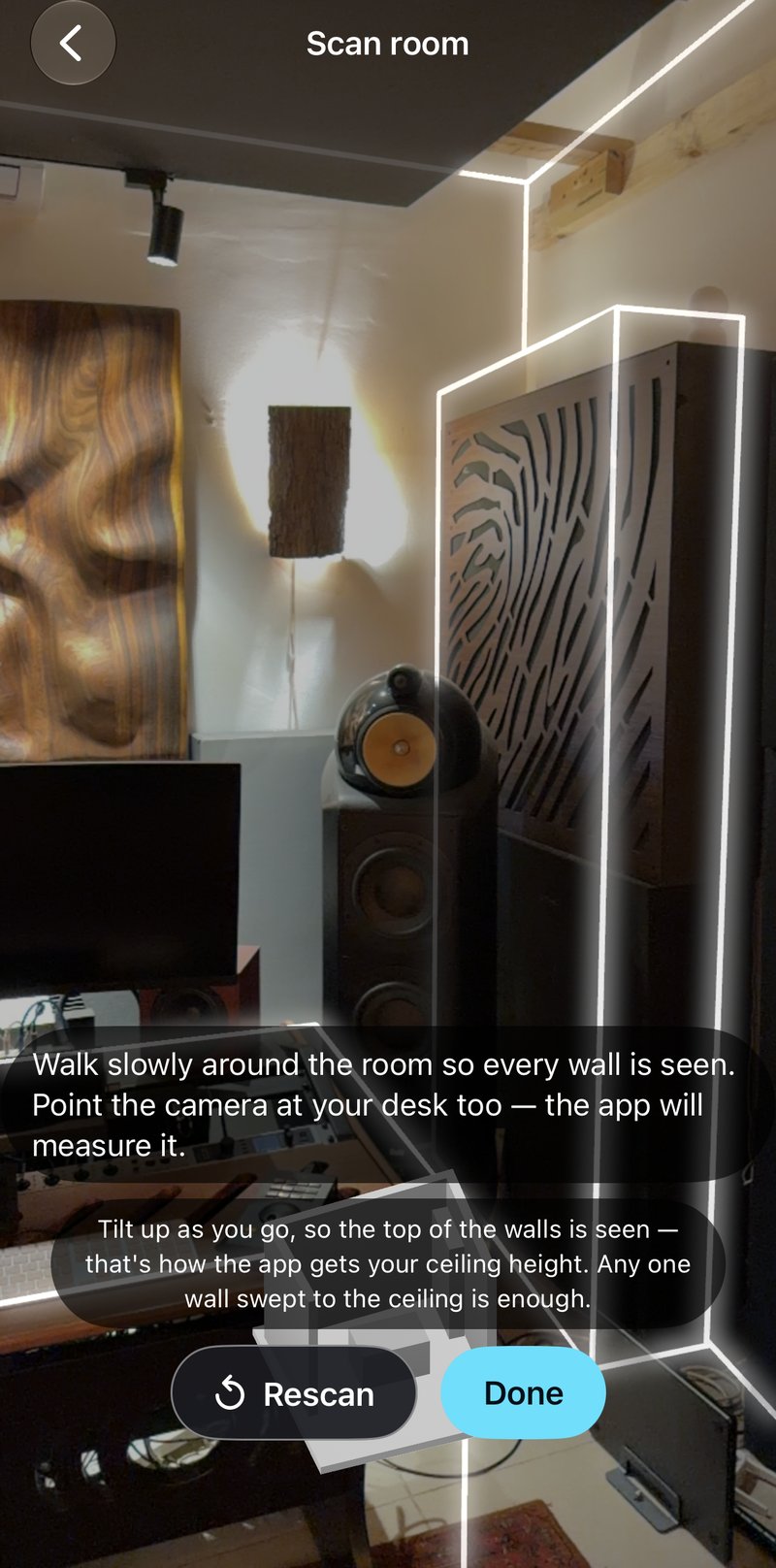
Scan your room.
Walk around once. The LiDAR in your iPhone Pro maps every wall, the ceiling and your desk.
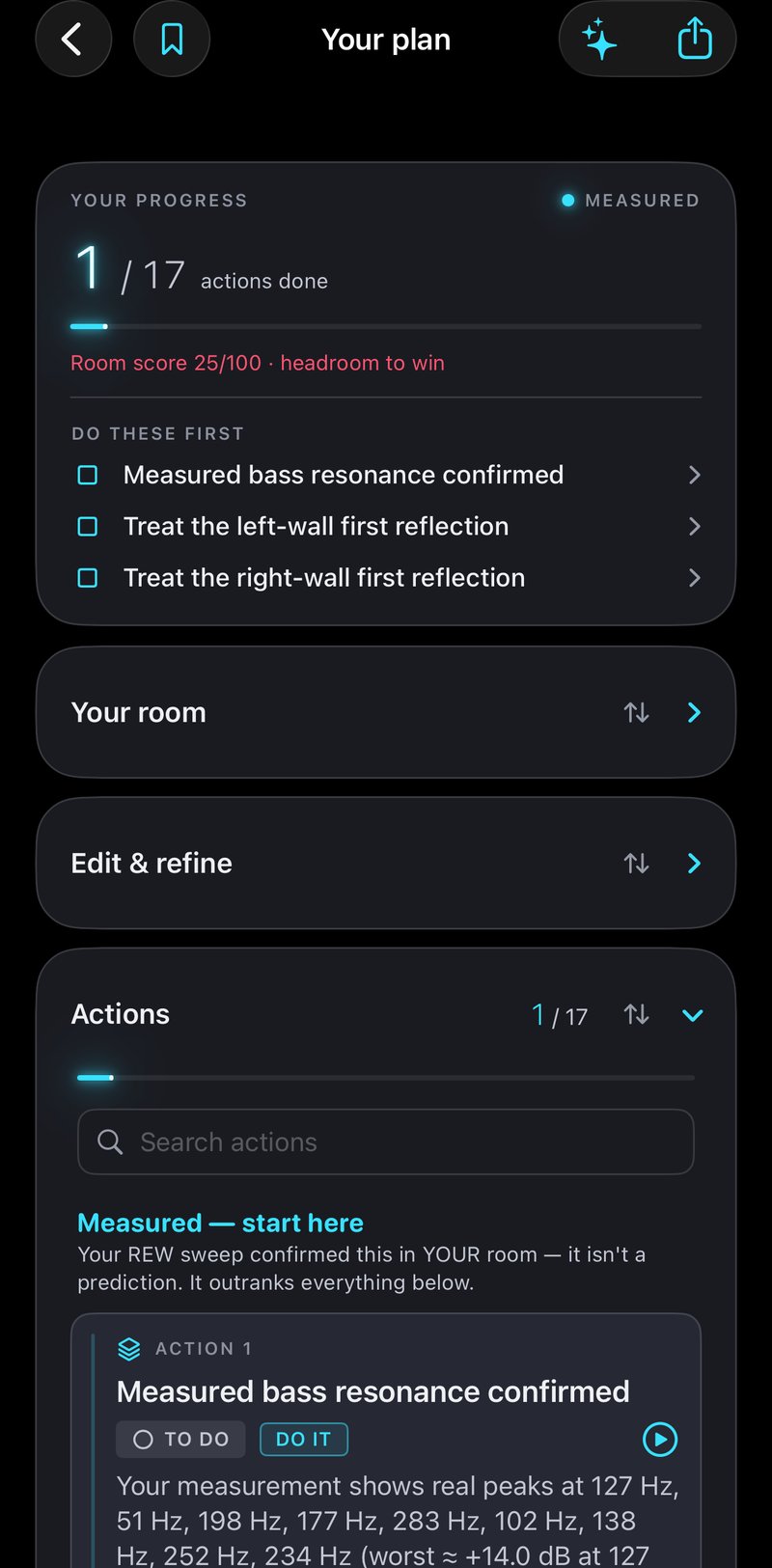
Get the plan.
A prioritised acoustic treatment plan for the room you just scanned - in minutes, on your phone.
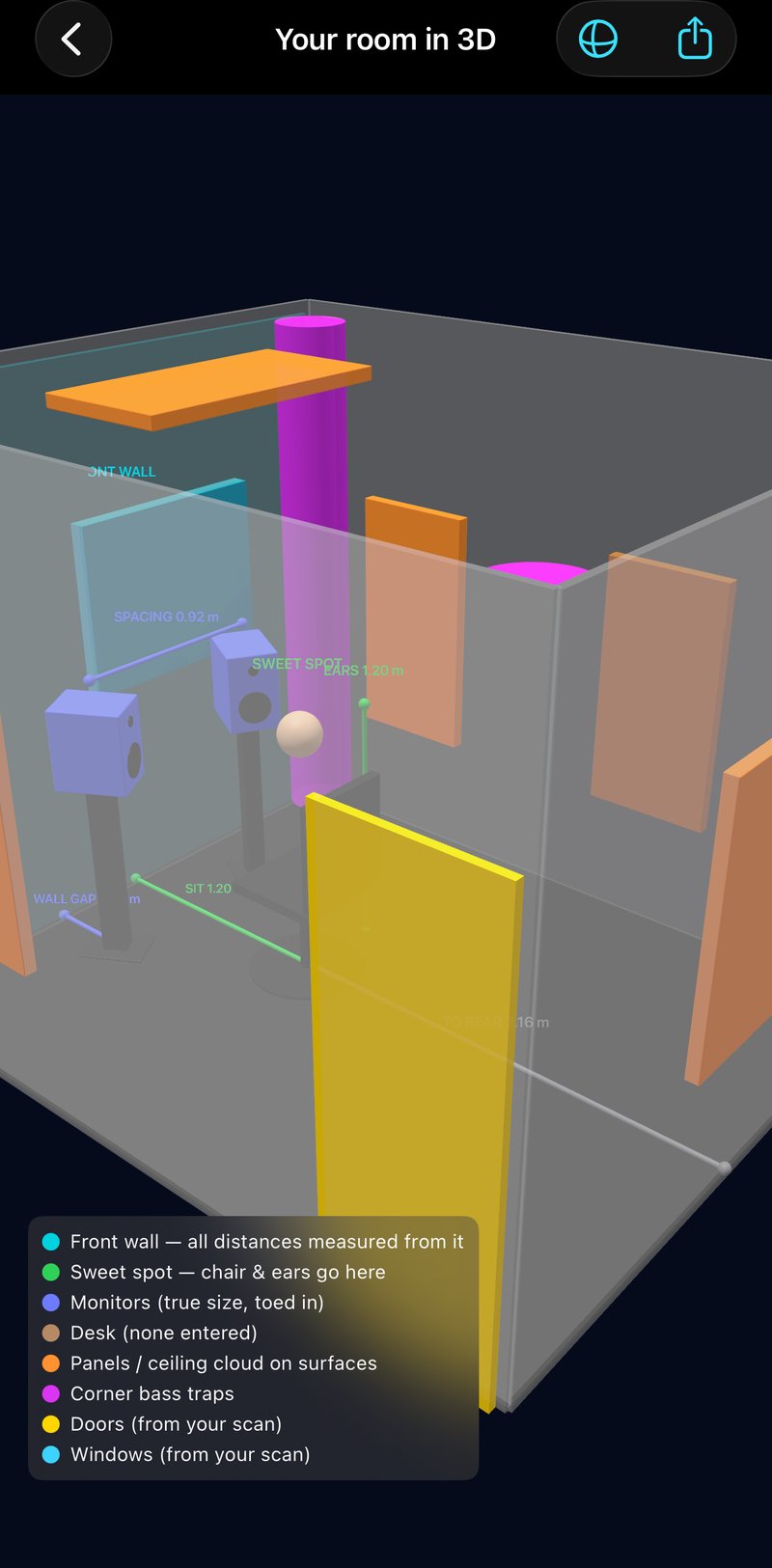
See it before you build it.
Every panel and bass trap placed in a 3D model of the room you actually scanned.
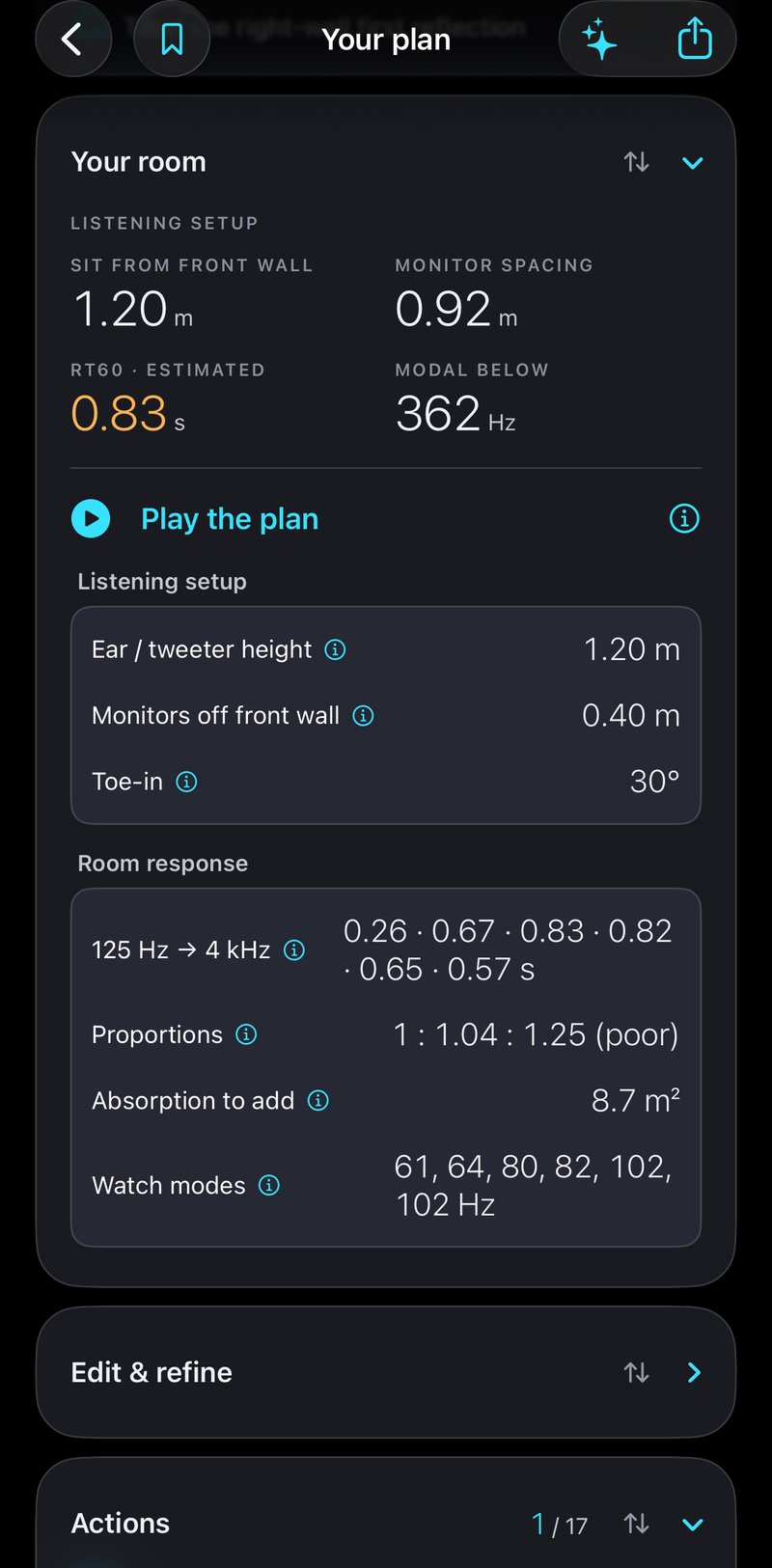
Numbers, not guesses.
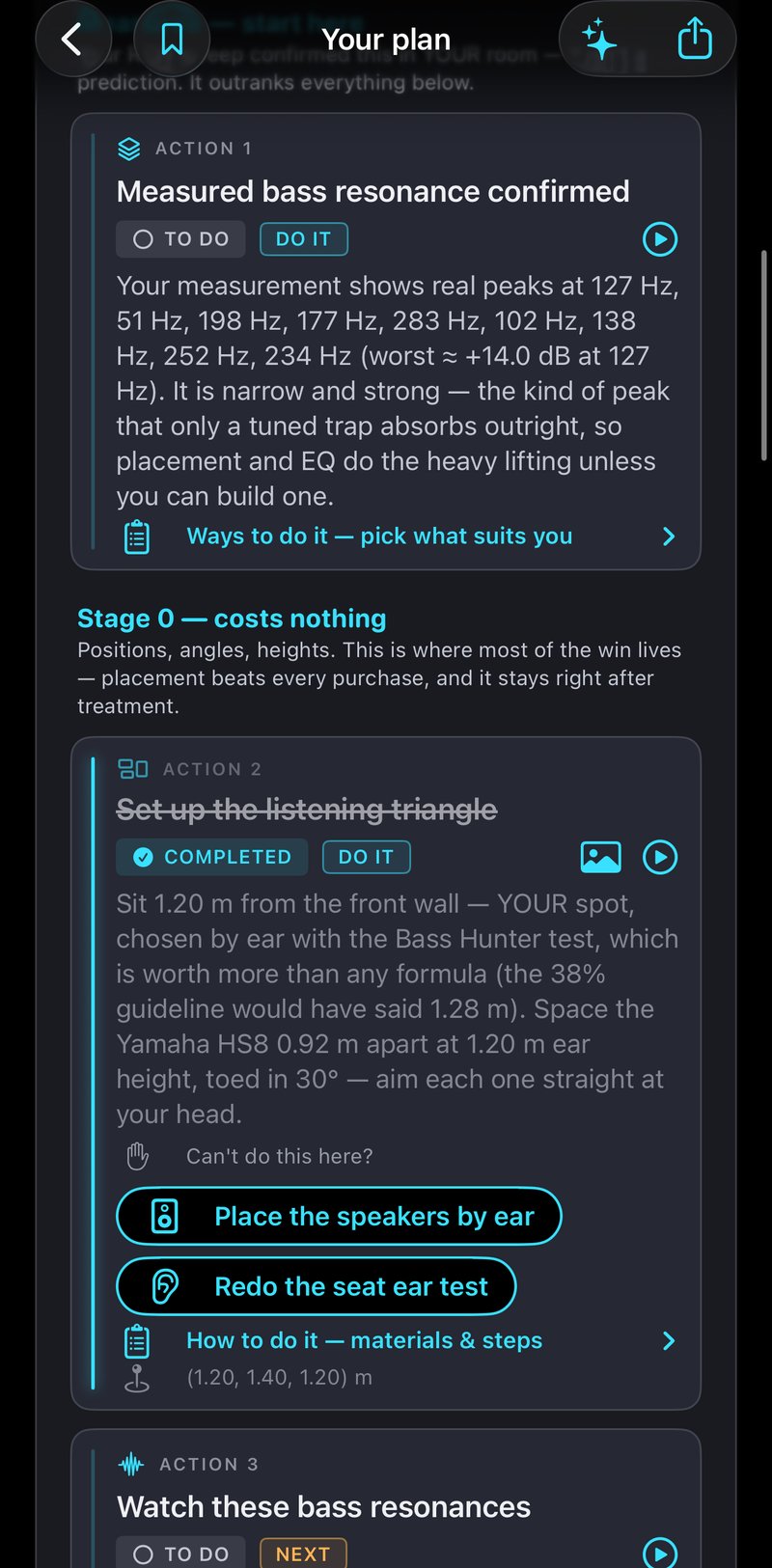
Where to sit, how far apart the monitors go, RT60 and the room modes to watch - computed for your room.
Every action, in order.
Exact placement, the materials to buy or build, and step-by-step instructions for each one.
Measure. Verify. Improve.
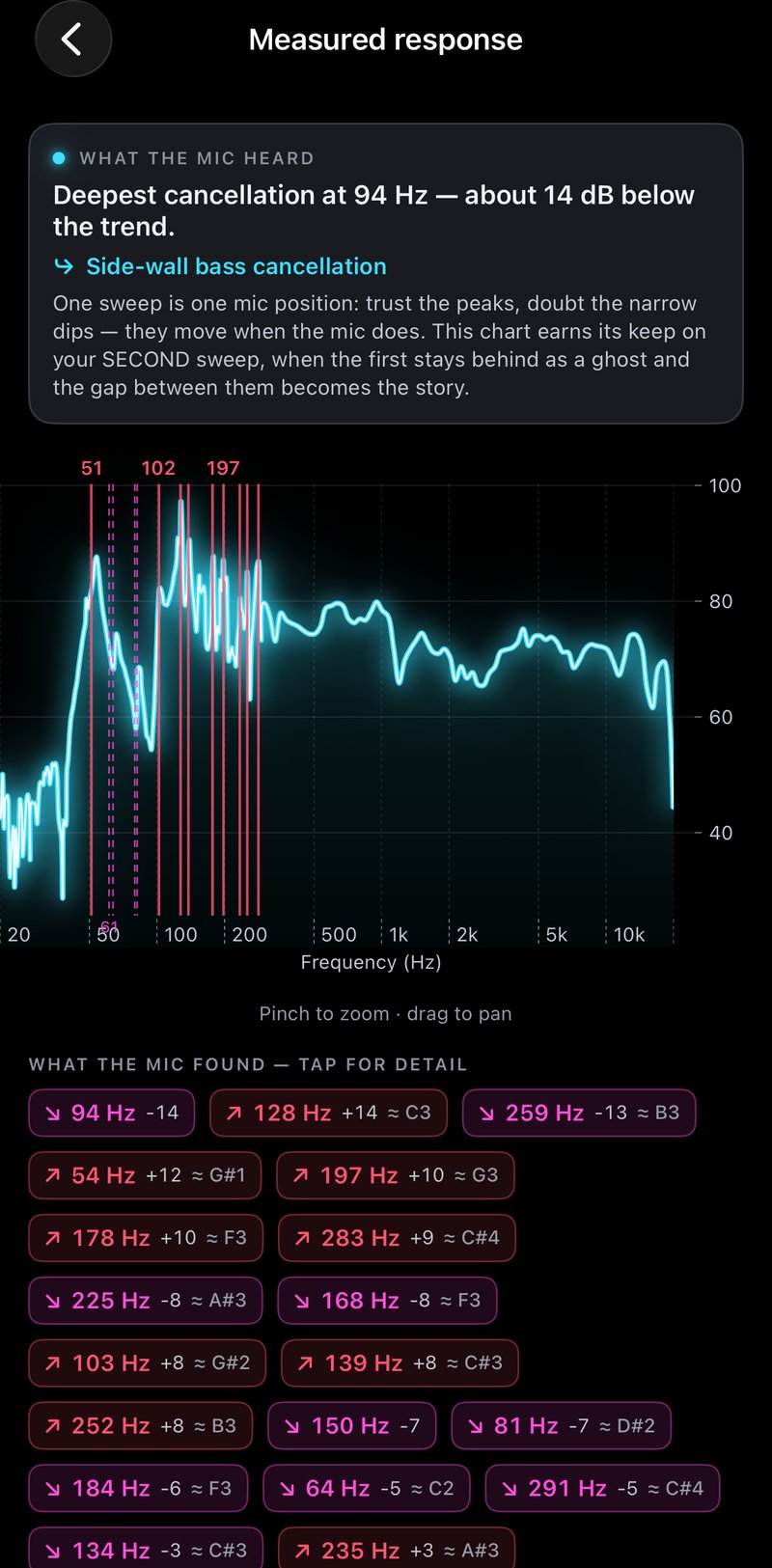
Import a REW sweep and see predicted against measured - the plan sharpens against the real room.
Placement first. Panels second.
Most of the improvement in a small room costs nothing - it's where you sit and where the speakers go. Panels come after, sized and placed for your walls.
Scan
Scan the room with the app: the LiDAR in your iPhone Pro maps every wall, the ceiling and your desk.
Studio gear & room materials
Tell it which monitors and sub you have, and what the walls are made of - even whether it's a reinforced safe room.
Place by ear free
Where to sit and where the speakers go - two guided ear tests, no mic needed.
Unlock the roadmap
Panels, traps and cloud with exact placement, build sizes and a materials list.
Verify with REW
Import a sweep, see predicted against measured, then before and after.
The app is free.
Scan your room, see it in 3D, get the acoustic summary and the placement plan - free, for as many rooms as you like. When you're ready to build, unlock a room's full treatment roadmap once, or go Studio Pro for unlimited rooms.
Free
No account. Unlimited rooms.
- The scan, and your room in 3D
- The acoustic summary, with the room modes to watch
- Placement in full: where to sit, monitor spacing, ear height, toe-in
- Two guided ear tests - no measurement microphone needed
Full roadmap
Paid - when you're ready to build.
One-time unlock per room (discount for second room) · or Studio Pro, monthly or yearly, for unlimited rooms- Every treatment action with exact placement, build sizes and a materials list
- REW import: predicted against measured, before and after
- Exports: PDF, materials list, and a handoff to your AI
A room you unlock stays unlocked forever; rooms planned under Studio Pro stay unlocked if it ends. Purchases go through Apple - the app never sees payment details. Prices are shown in the App Store in your currency.
Built for the rooms mixes are made in.
Noam Ben Shabat - who built the app. Mixing and mastering engineer at NBS Studio in Pardes Hana, Israel, and lecturer at BPM College.
Questions.
Do I need a LiDAR iPhone?
No. LiDAR makes the scan instant, but every feature works on any iPhone - type the room size or draw the floor plan.
Do I need a measurement microphone?
No. Placement and the ear tests work by listening. If you use REW, importing a sweep upgrades the plan from predicted to measured.
What's free and what's paid?
The scan, the 3D room, the summary and all of Stage 0 are free for any number of rooms. A one-time unlock opens a room's full roadmap; Studio Pro unlocks every room while active, and those rooms stay unlocked if it ends.
Is it in Hebrew?
Yes - the whole app, right-to-left included.
What happens to my data?
Nothing leaves your iPhone: no account, no analytics, no tracking. Read the privacy policy.
Coming to the App Store.
Free to download. Questions before then? Support is answered personally.